
Last updated: 2026-07-08
Core Feature Modules
Detailed guide to ximu monitoring, insights, and optimization tools.
1. Overview (Brand Dashboard)
The primary dashboard that condenses your brand's most important signals onto a single page.
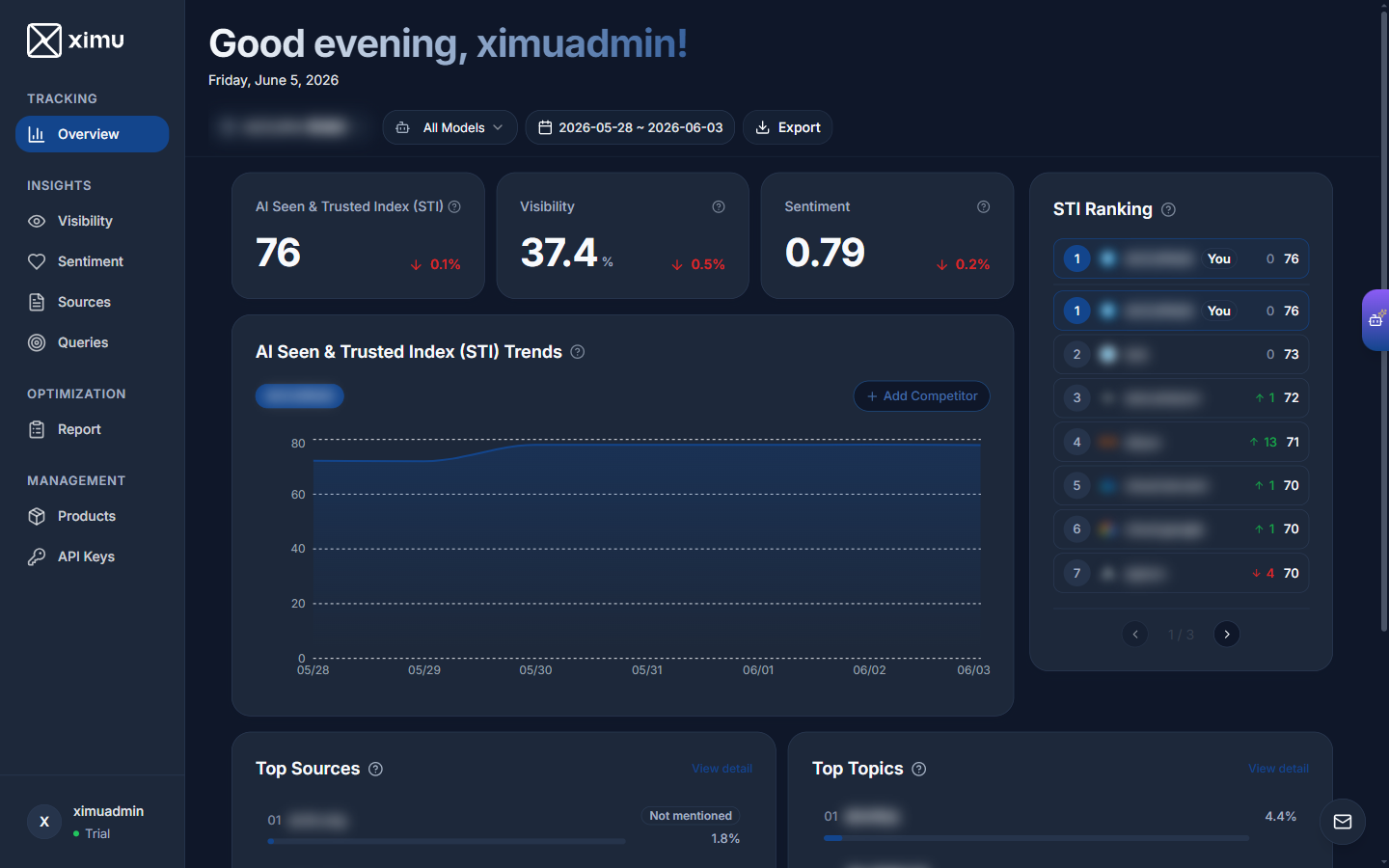
Overview Summary & KPI Cards
- AI Seen & Trusted Index (STI): The headline score (0–100) combining visibility and sentiment into your brand's overall influence in AI answers. Higher is better.
- AI Visibility: The overall degree to which your brand is seen in AI-generated answers, shown as a percentage — the higher, the more often AI mentions you.
- Sentiment: The average emotional tone AI expresses about your brand, ranging from 0 (negative) to 1 (positive), with 0.5 as neutral. Closer to 1 is better.
STI Trend Chart
Visualizes daily STI scores for your brand and up to five competitors. Use "+ Add Competitor" to compare trajectories on the same chart. Supports time ranges: 1, 7, 14, 30 days, or custom.
STI Ranking Table
Ranks you (marked "You") against competitors by STI score, showing rank, day-over-day movement, and each brand's score at a glance.
Top Sources and Topics
- Top Sources: Lists the top 5 websites most frequently cited by AI, indicating if your brand was mentioned.
- Top Topics: Highlights the top 5 topics most strongly associated with your brand, with their share.
2. Visibility Analysis
Deep dive into how often and where your brand appears — from mention frequency and order to content share.
Visibility Metric Cards
Focus on three key metrics:
- Reach: How frequently your brand is mentioned in AI answers — the higher, the more exposure.
- Position (Priority): How prominently your brand is mentioned — the higher, the closer it is to AI's first-choice answer.
- Focus: The share of an answer's content devoted to your brand when it is mentioned — the larger, the stronger your presence.
Trend × Ranking Linked View
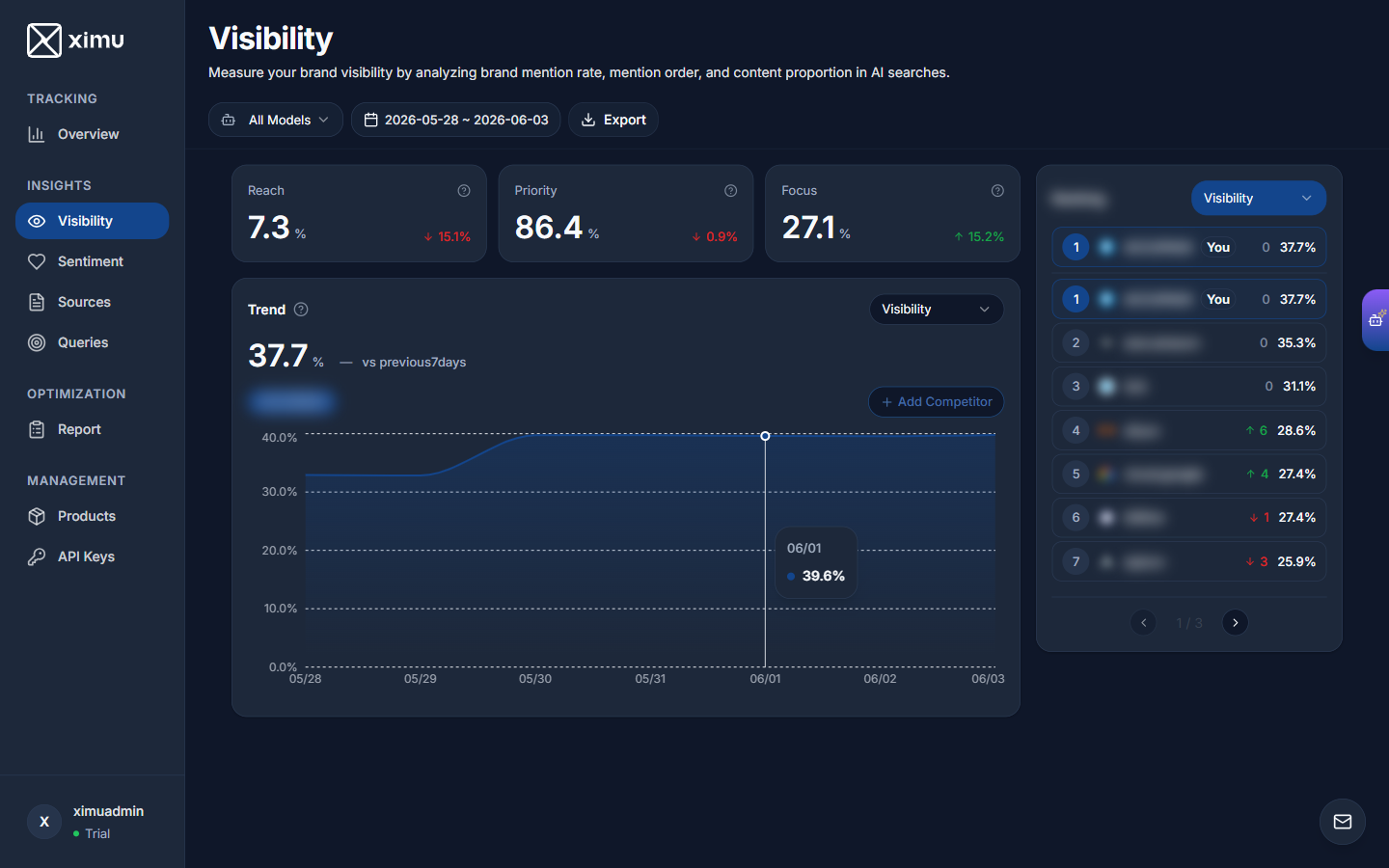
- Left Side: Historical trends across visibility metrics. Switch the dropdown between Visibility, Reach, Position, and Focus.
- Right Side: Real-time ranking table by the selected metric, sortable across competitors.
- Visibility Heatmap (Coming Soon): A matrix view revealing brand mention rates across different topic categories and source types.
3. Sentiment Analysis
Understand the qualitative tone of AI responses about your brand.
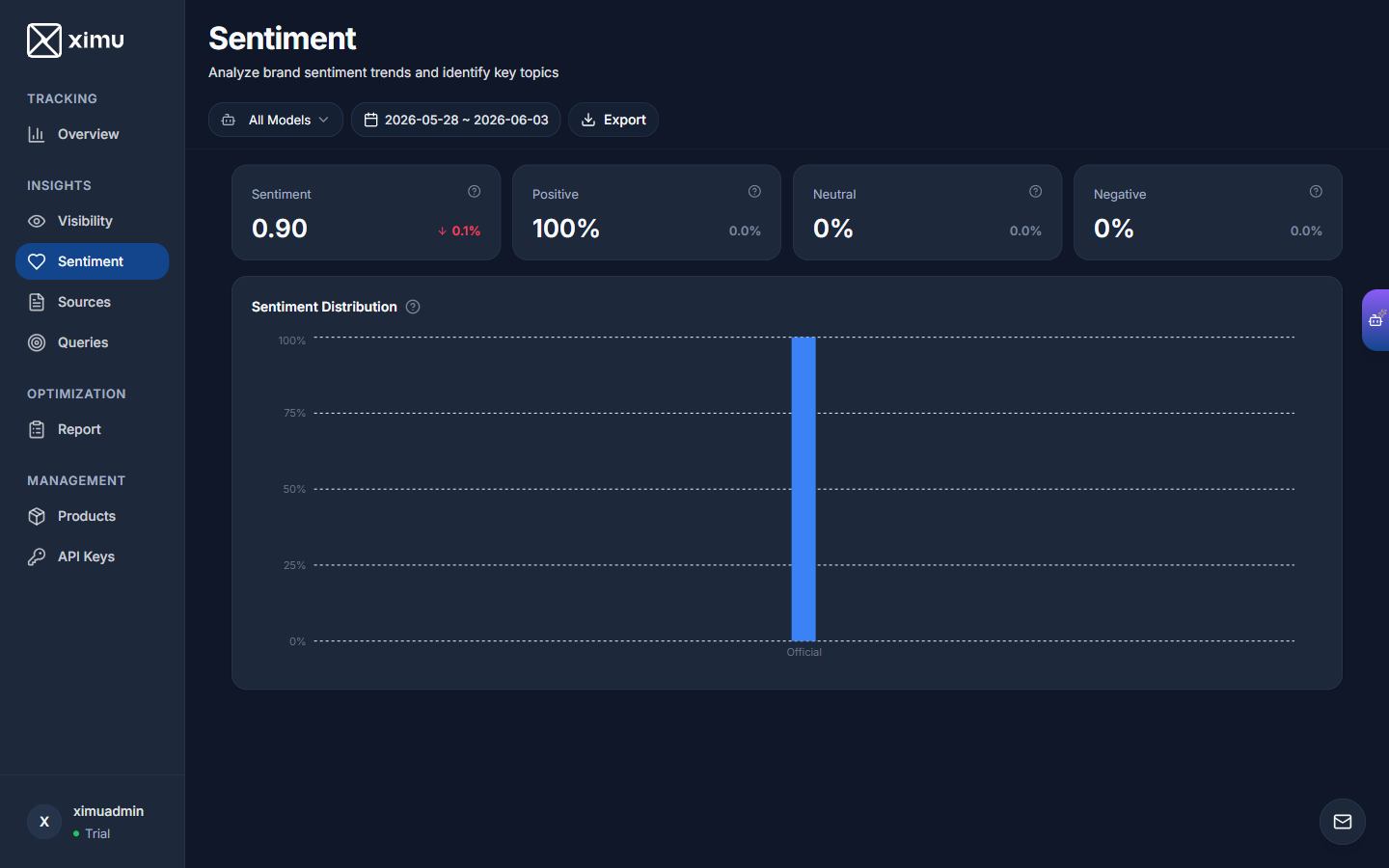
- Sentiment Metric Cards: Show the overall average sentiment score (0 to 1, 0.5 is neutral, closer to 1 is better) and the distribution of positive, neutral, and negative responses.
- Sentiment by Source Type: Tracks how sentiment varies across categories of websites (e.g., official sources vs. social forums), helping you find which source type shapes AI's view of your brand.
- Top Sentiment Topics (V2.0 Coming Soon): Lists the specific topics that drive the most positive or negative AI sentiment.
4. Source Analysis
Analyze which websites AI cites — and whether they mention you. The most actionable page for content strategy.
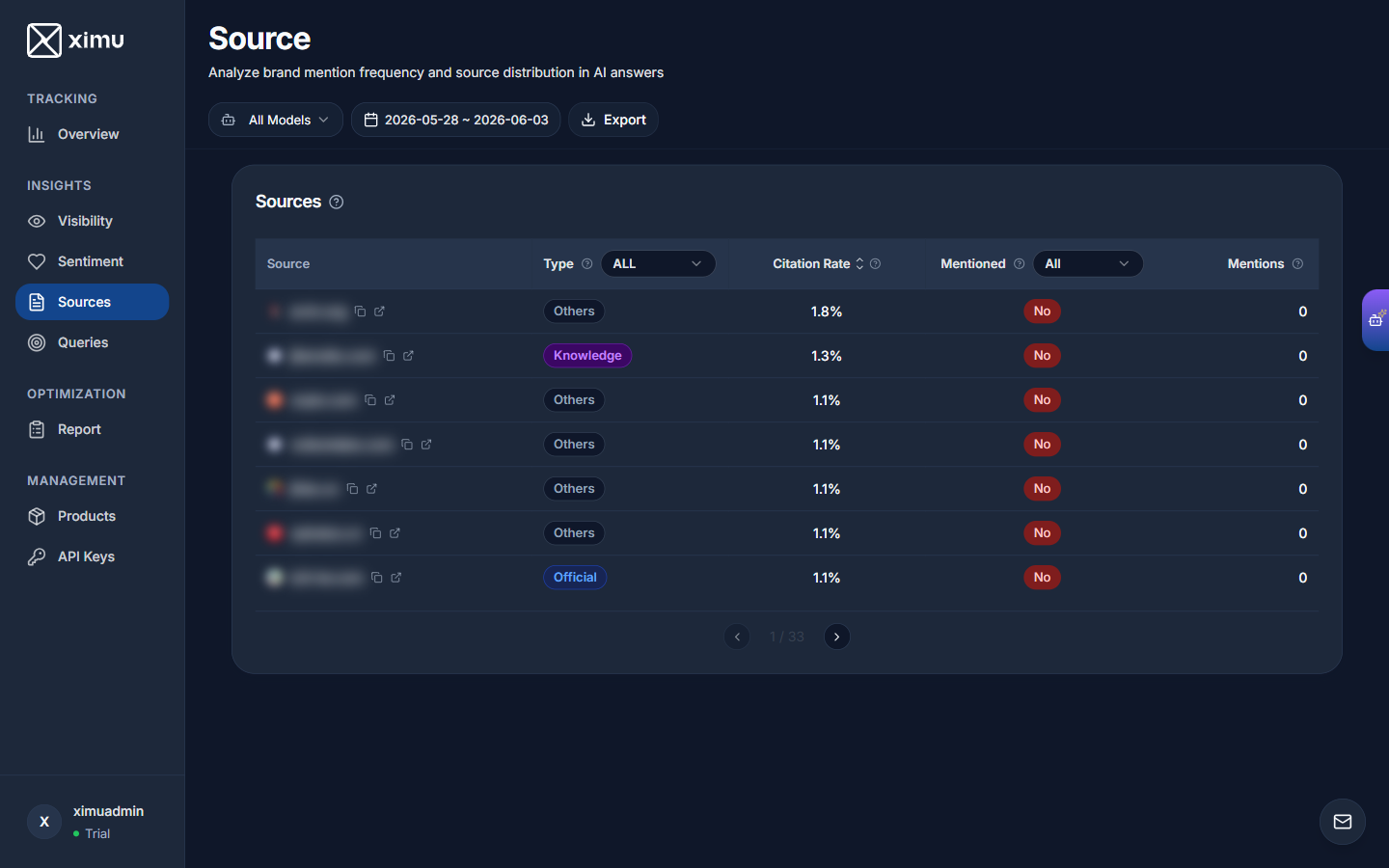
Source Table Columns
- Source: The website domain cited by AI; open it directly from the icon.
- Type: Source category — Official, Knowledge (e.g., Wikipedia, papers), or Others. Filterable.
- Citation Rate: How often the site is cited by AI. Sortable by column header.
- Mentioned: Whether that source mentions your brand (Yes / No). Filterable.
- Mentions: The number of times your brand is mentioned in that source.
- Source Distribution: A visualization of how different website categories contribute to shaping your brand's AI narrative.
5. Prompt Insights (Queries)
Direct insight into what users actually ask AI and the logic behind its answers.
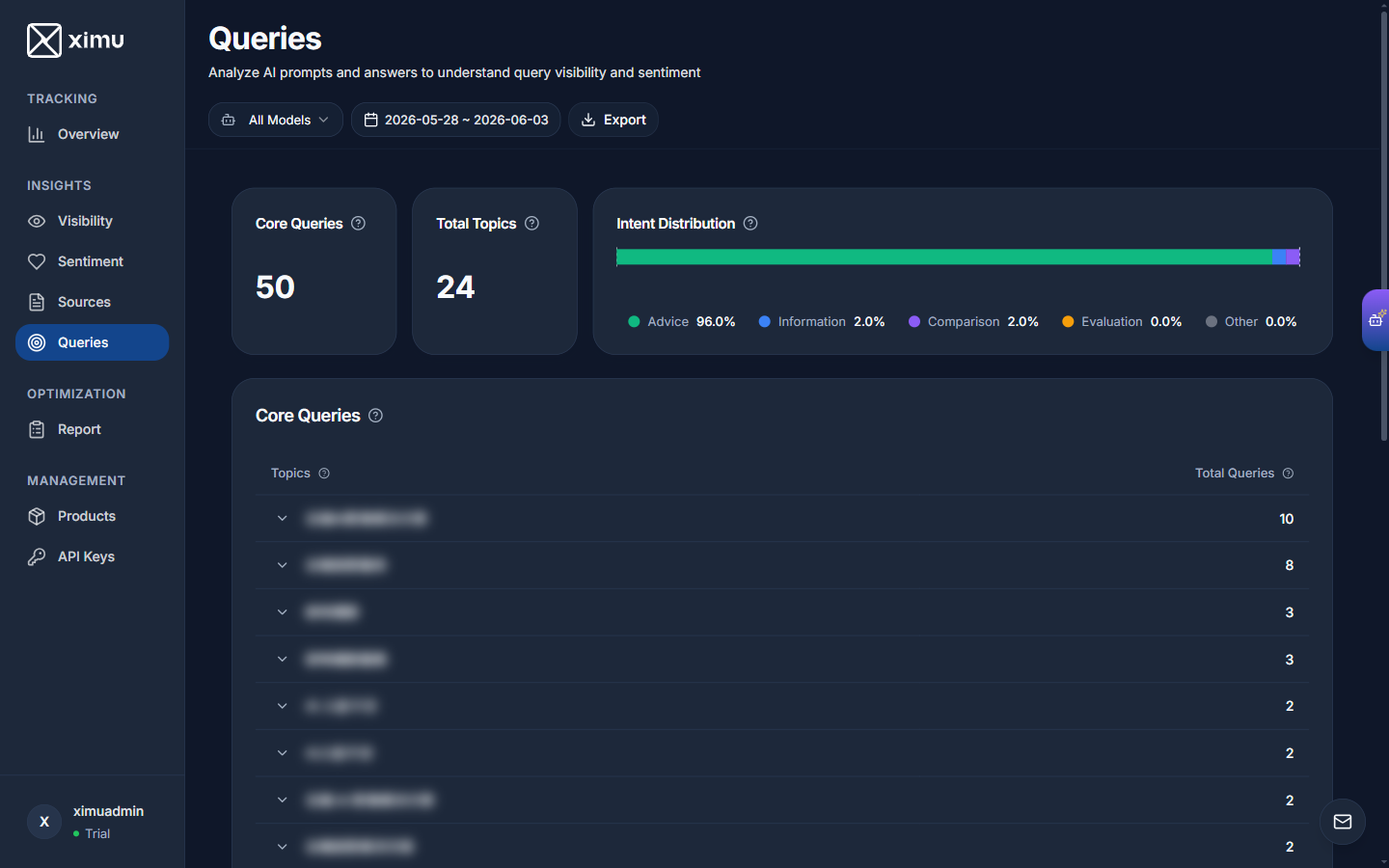
Top Statistics
- Core Queries: The number of the most central, most frequent questions in your product category.
- Total Topics: The number of topics these questions span.
- Intent Distribution: The share of each intent type — Advice, Information, Comparison, Evaluation, and Other.
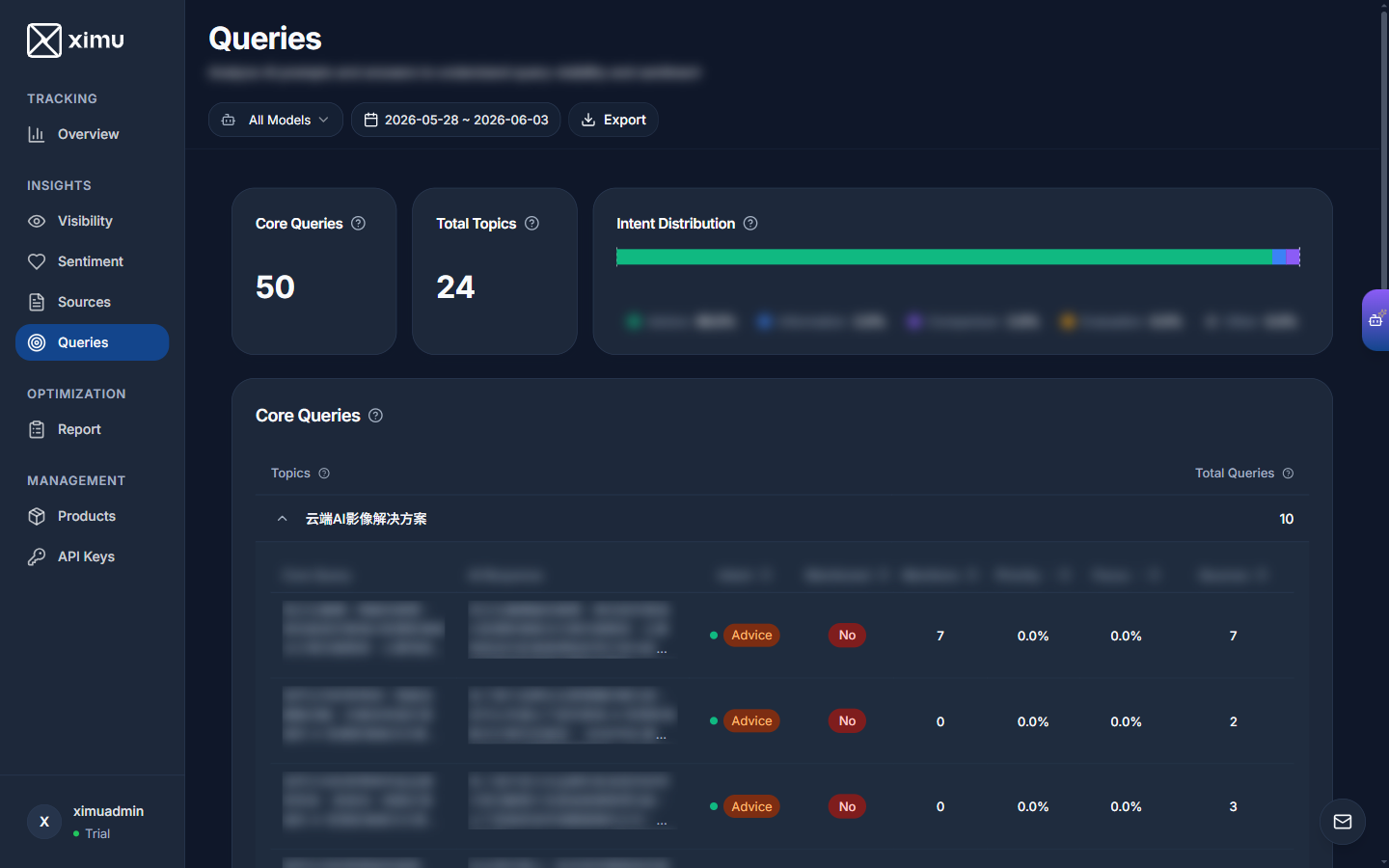
Q&A Detail Table
Expand any topic to inspect each question and AI's real answer:
- Core Query: The full question the user asked AI.
- AI Response: AI's full answer (expandable).
- Intent: The intent category of the question.
- Mentioned: Whether that answer mentions your brand.
- Mentions: The number of mentions.
- Priority: How prominently your brand is mentioned.
- Focus: Your brand's share of that answer's content.
- Sources: The number of websites AI cited in that answer.
6. Deep Analysis Report
Generate a customized in-depth report on your brand visibility through a conversation with AI.
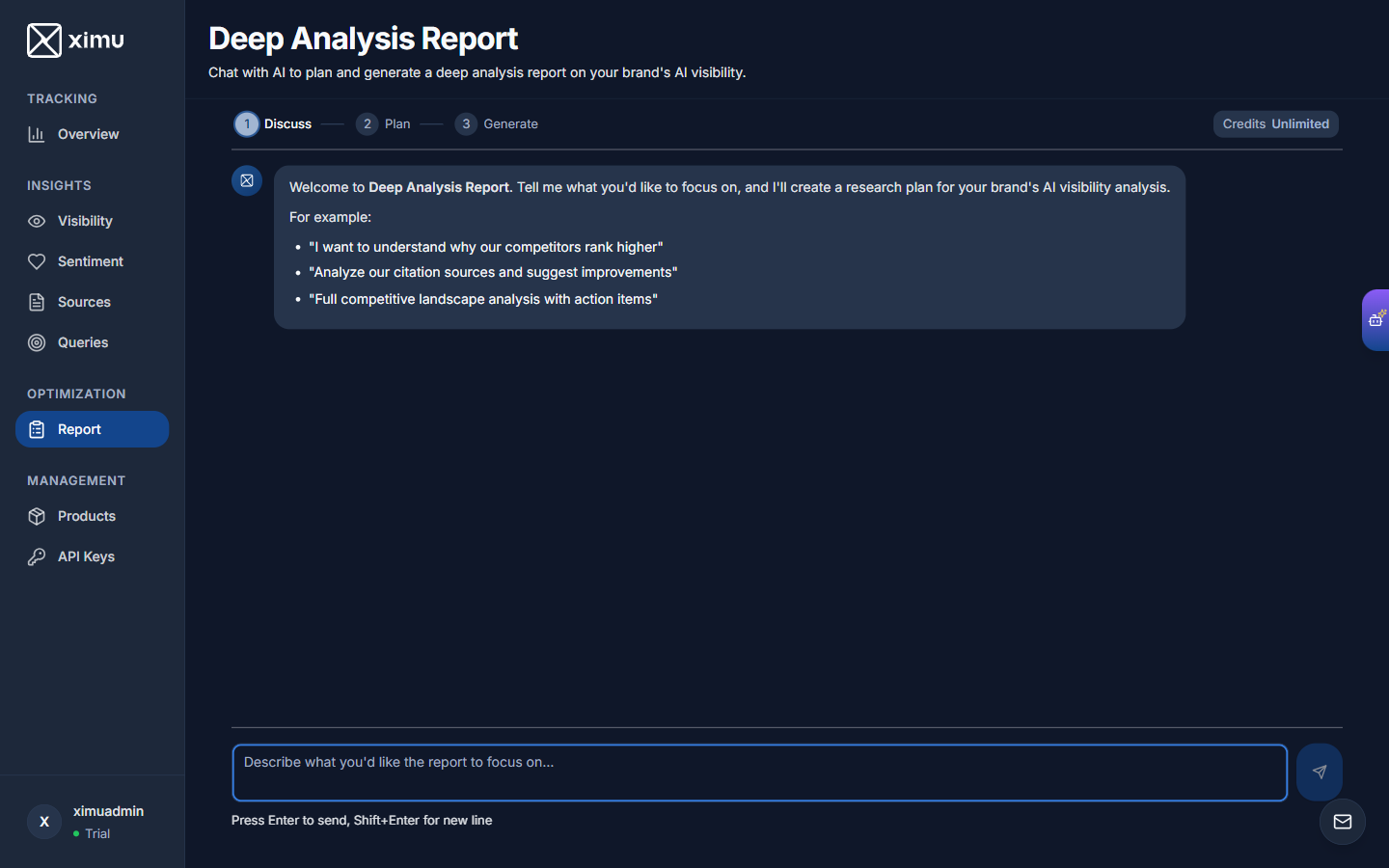
Three-Step Flow
- Discuss: Tell the system what you want to focus on in natural language (e.g., "Why do competitors rank higher than us?").
- Plan: AI drafts a research plan based on your needs.
- Generate: After you confirm, the full report is produced.
Available Credits are shown at the top right. Enter your request and press Enter to start.
7. AI Assistant
Click the AI Assistant button at the top left to slide out a chat panel.
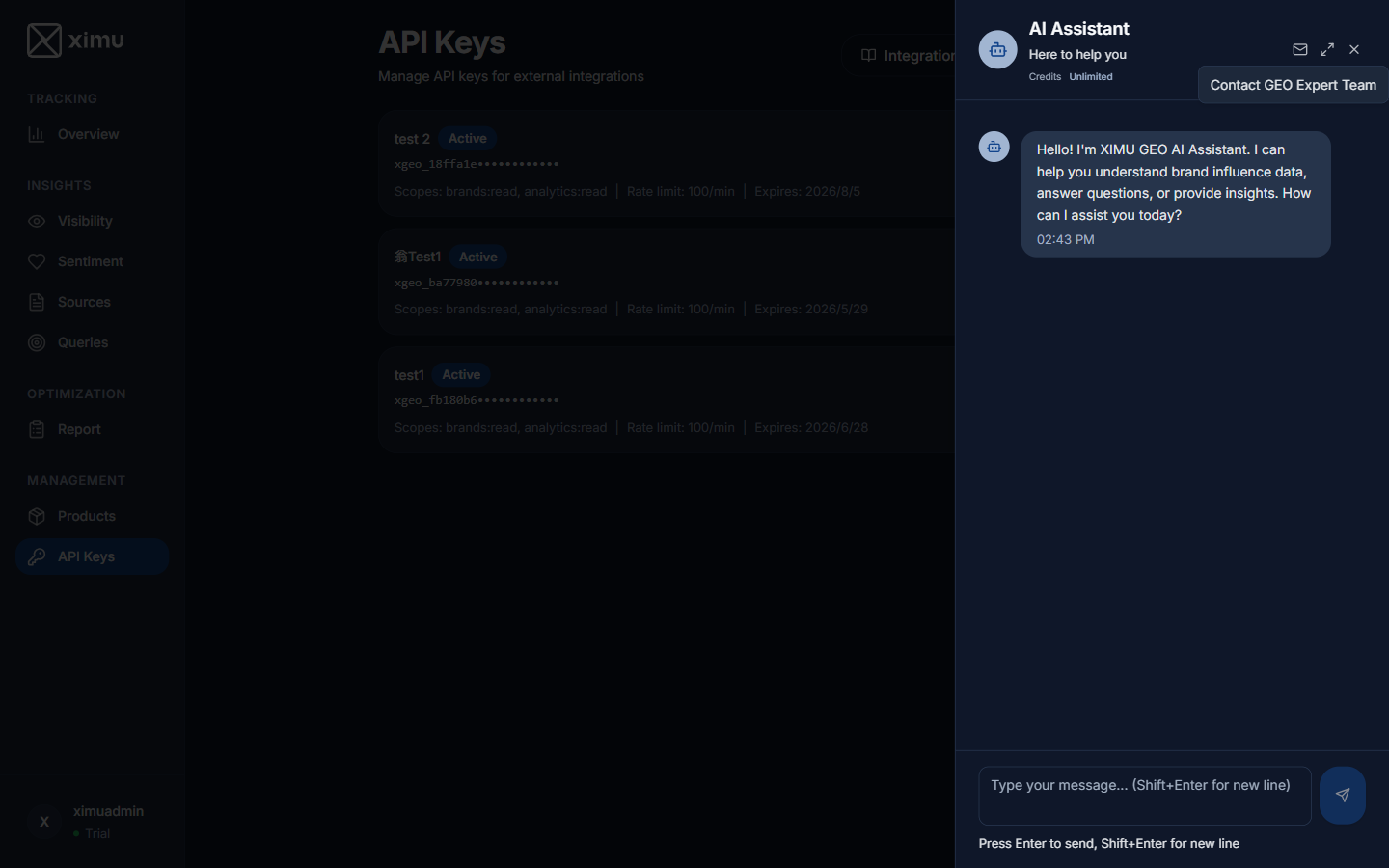
Ask questions about your brand data in plain language — the assistant helps you interpret data, answer questions, and surface insights. For example: "Why did my visibility drop this week?" or "Summarize the differences among my top three competitors."
8. API Keys
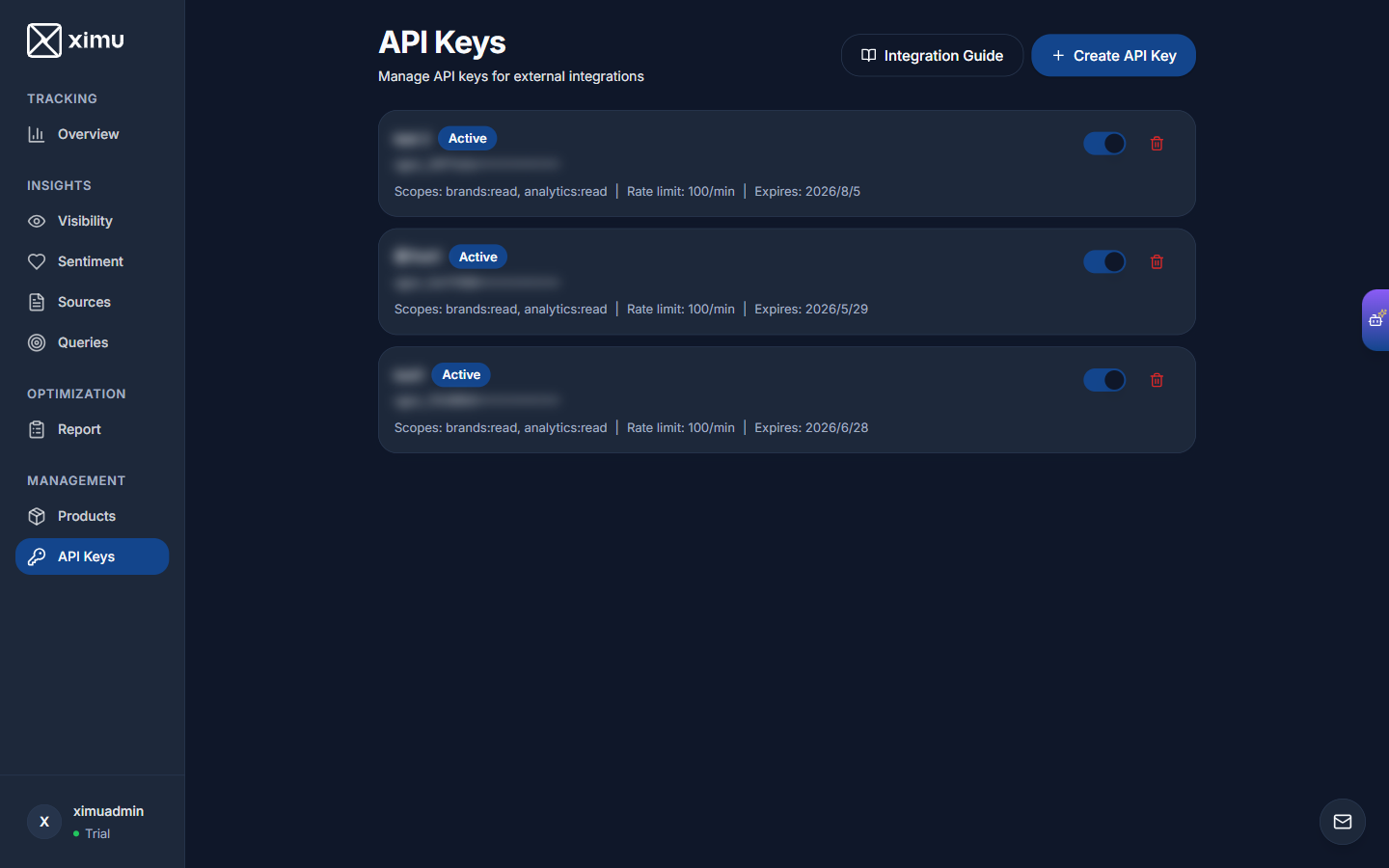
Create and manage API keys to integrate ximu data into your own systems or tools.
Key List
Each key shows its name and Active status, a masked key string (e.g., xgeo_18ffa1e••••••••), scopes (e.g., brands:read), rate limit (e.g., 100/min), and expiry date.
Click "Create API Key" to generate a new key. The full key is shown only once at creation — save it immediately.